
 eterni CaseView
Your Whiteboard. Without the Walls.
Your whiteboard, digitally reimagined.
eterni CaseView is the digital dashboard for your funeral home. Build each family’s plan around their tradition, see services and rooms at a glance, and keep the back office moving.
Works on the phones, tablets and screens you already have.
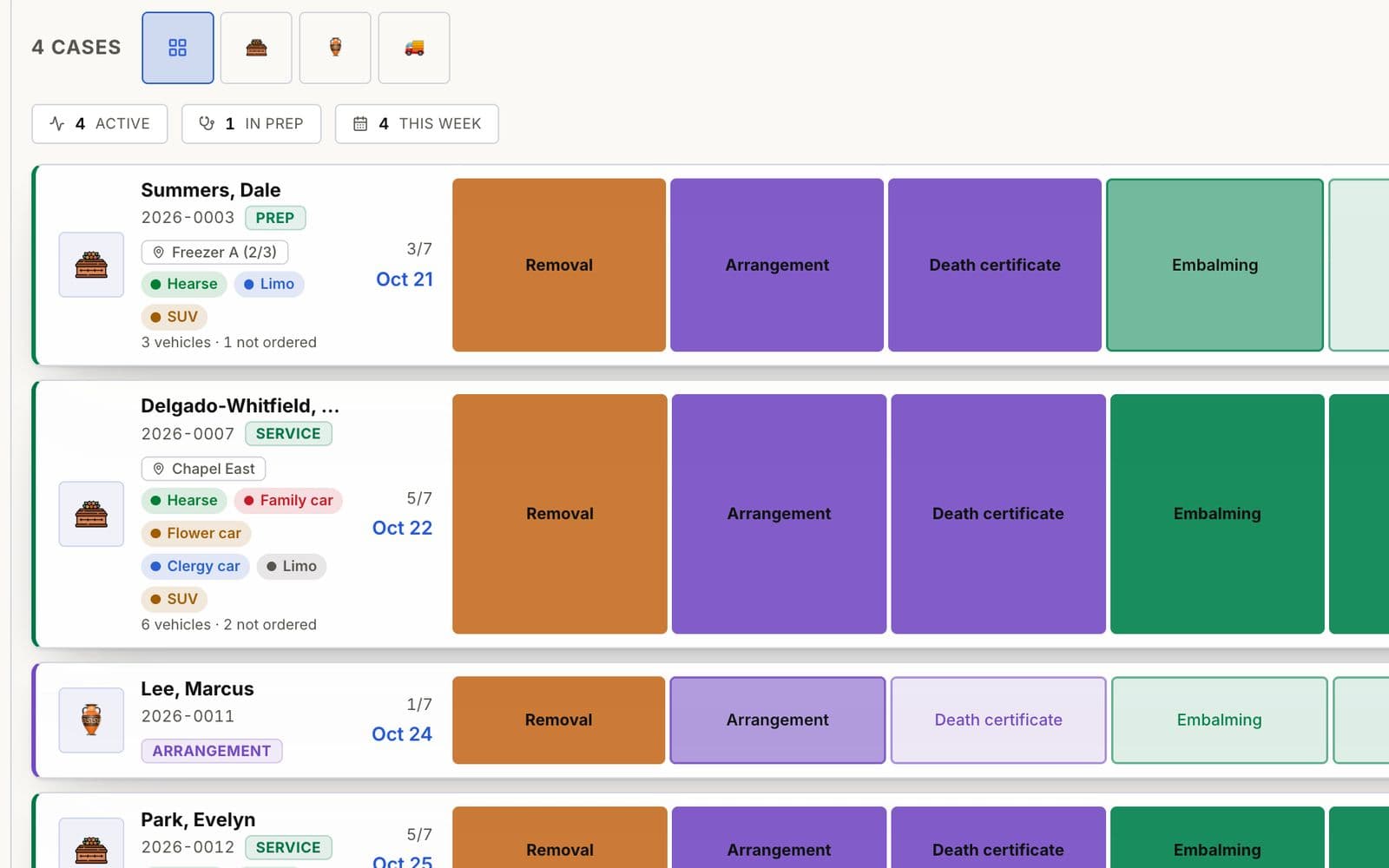
eterni CaseView shows every case on one board, builds a plan for the family’s tradition, assigns rooms, and orders vehicles for the service.
- 5traditionsand 8 denominations, ready when you open a case
- 3servicesburial, cremation and shipping plans built in
- 7phasesfrom intake to disposition, on one board
- Anyscreenphone, tablet, desktop or the wall in your office
Every family deserves a plan made for them.

Case details on whiteboards and sticky notes

Steps missed when a case changes hands
No one sure which chapel or prep room is free

Each family’s tradition, planned from memory
Built for the traditions you serve.
Choose the family’s tradition when you open a case, and eterni CaseView starts from a plan made for it.
Christian
- Catholic
- Protestant
- Non-Denominational
Burial, cremation and shipping plans
Includes steps such as Funeral Mass
Jewish
- Orthodox
- Conservative
- Reform
Burial, cremation and shipping plans
Includes steps such as Taharah (Chevra Kadisha)
Muslim
- Sunni
- Shia
Burial and shipping plans
Includes steps such as Salat al-Janazah
Hindu
Burial, cremation and shipping plans
Secular
Burial, cremation and shipping plans
Veteran honors can be added to any plan, and your admins can add traditions and steps to your protocol library.
Build the plan once. Follow it to the end.
- Intake
- Removal
- Arrangement
- Preparation
- Documents
- Service
- Disposition
Choose the tradition and service
Pick the family’s tradition, denomination and service: burial, cremation or shipping.
Start from a built-in plan
eterni CaseView lays out the steps for that tradition and service, with options such as veteran honors.
Make it this family’s plan
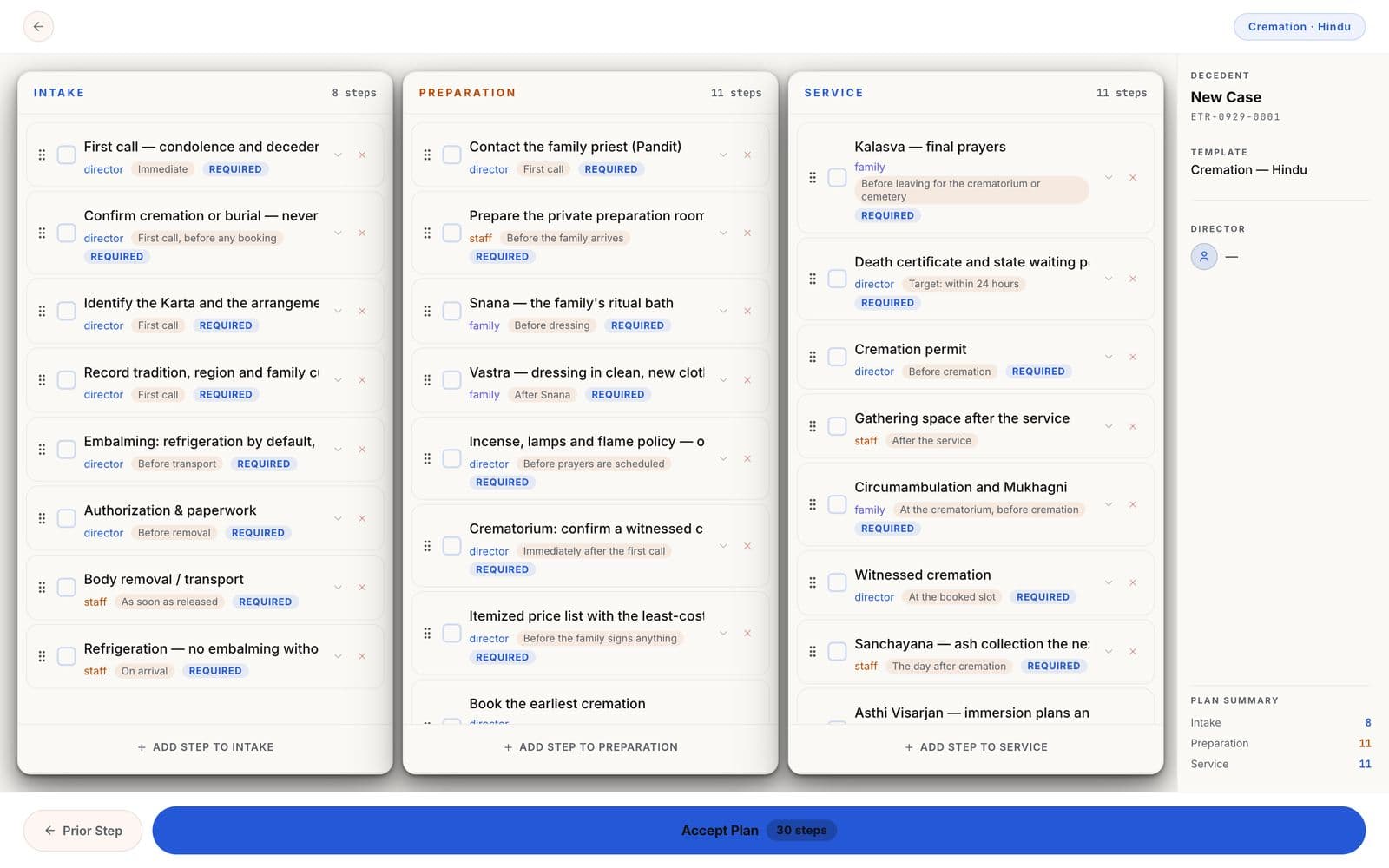
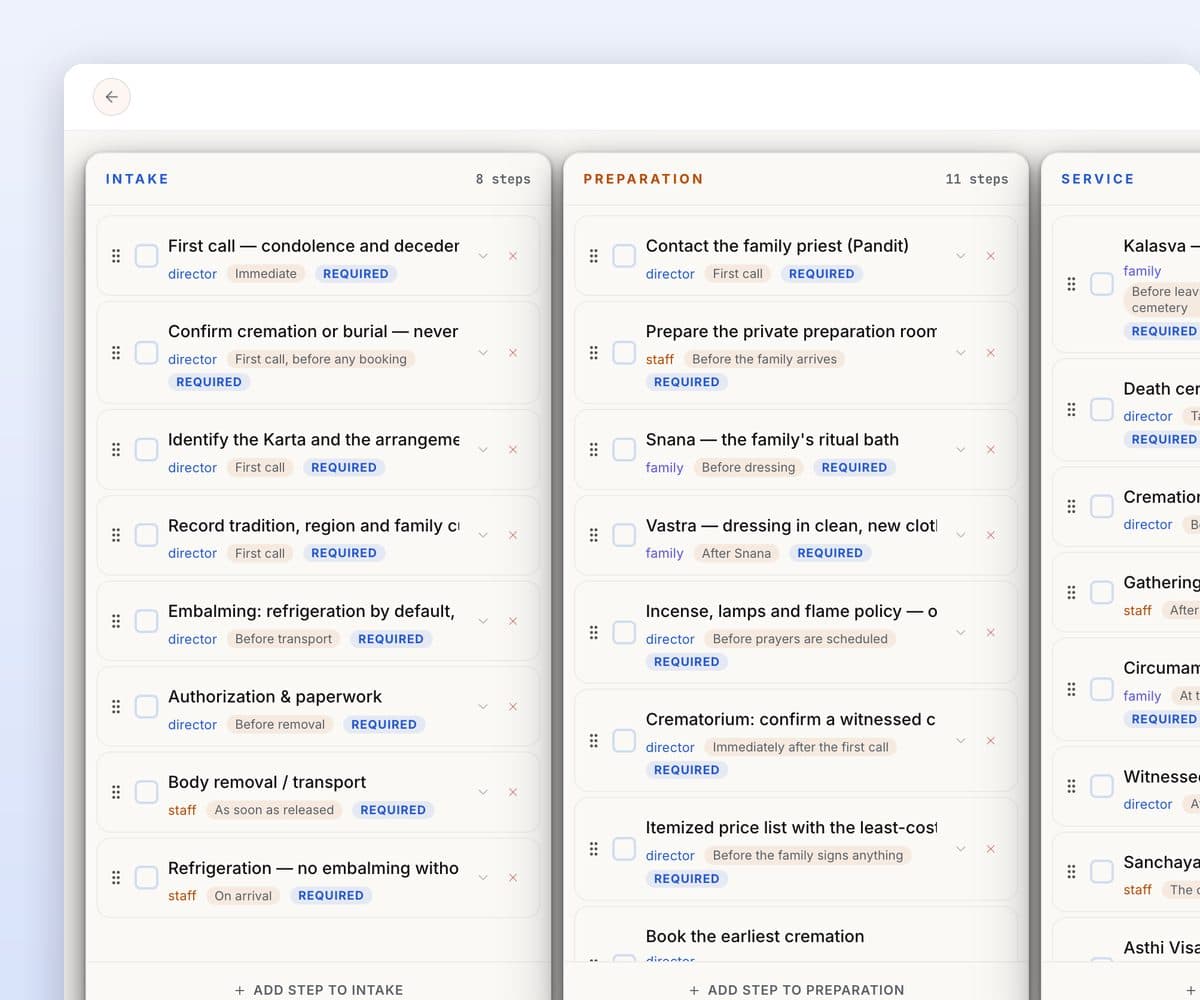
Drag steps into order, rename them, and add or remove them before you accept the plan.
Assign and track every step
Give each step to someone on your team. eterni CaseView records who completed it and when.
Cases, plans, rooms and vehicles, all in view.
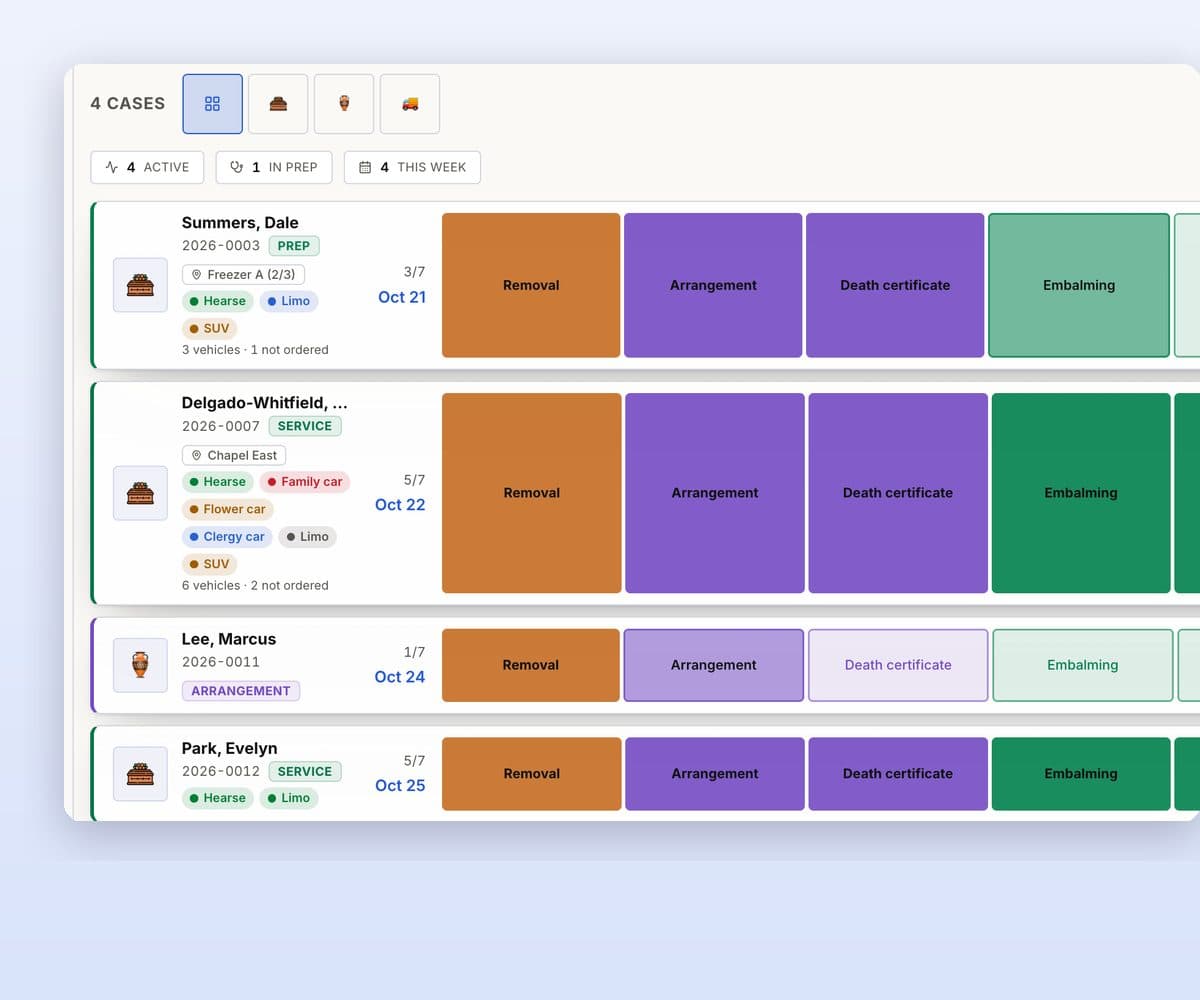
Every case on one board
Each case’s steps in color, from removal to burial, with its vehicles.
A plan for each family
Steps for the family’s tradition and service, reviewed before you accept.
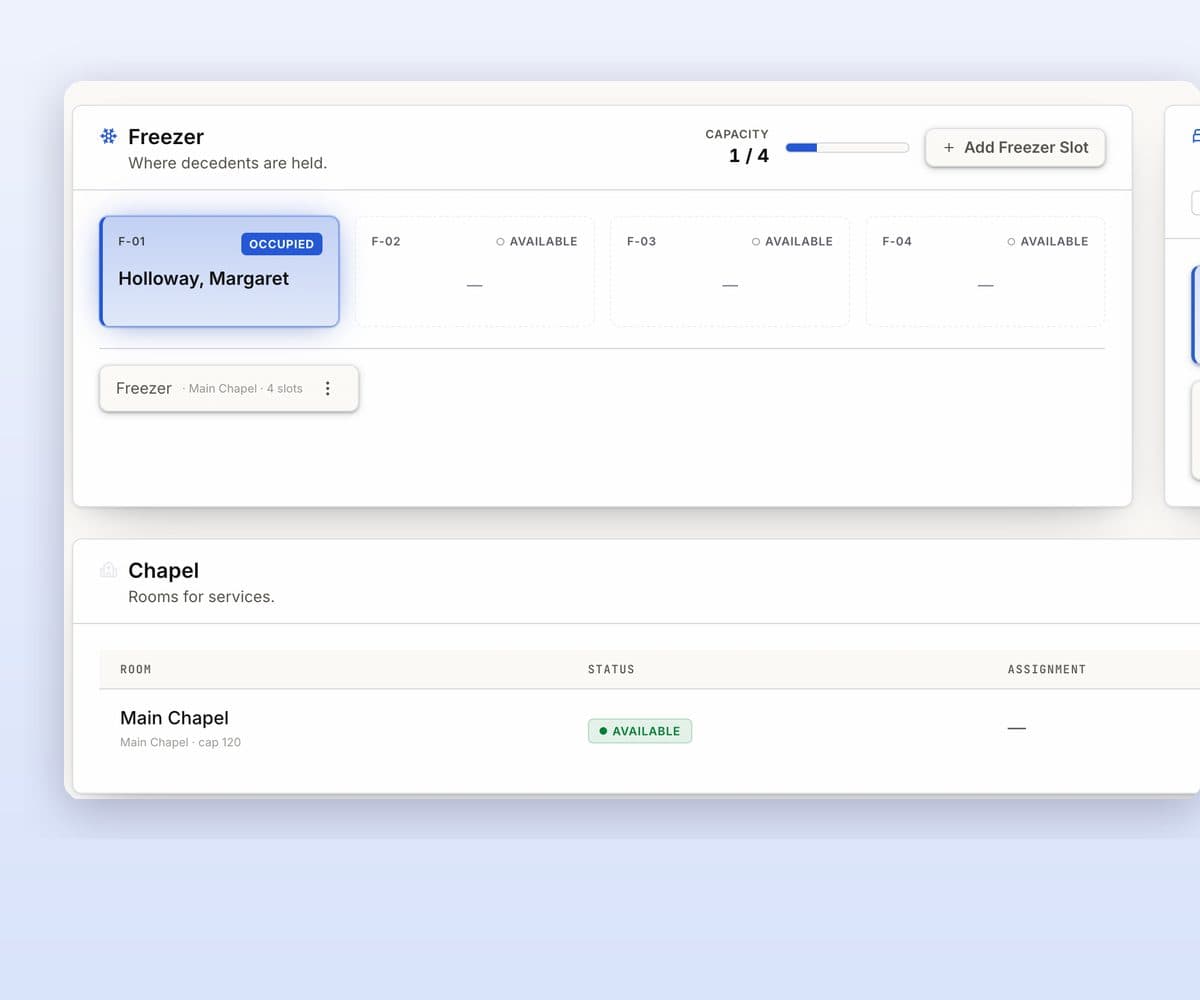
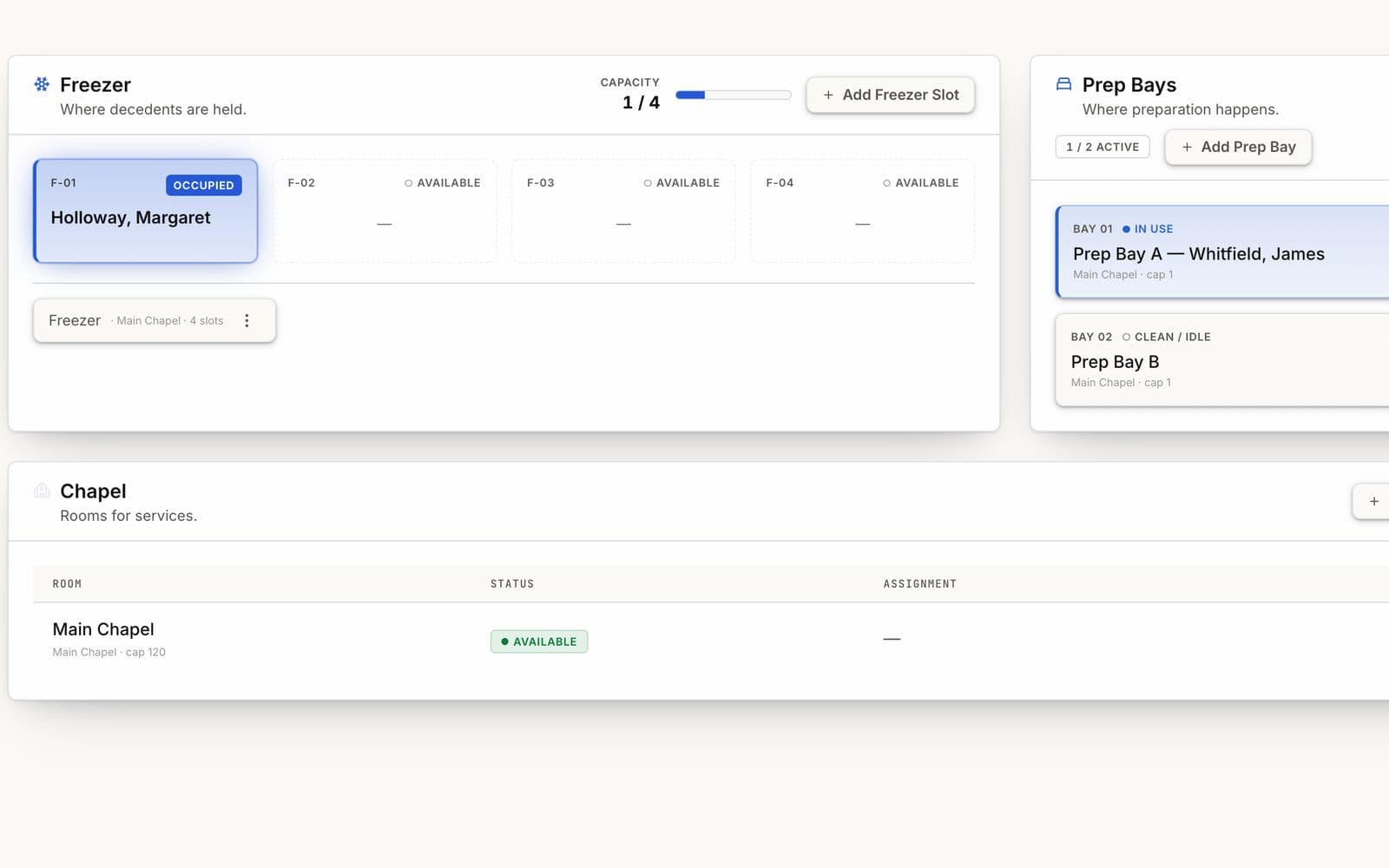
Chapels, prep bays and freezer
Know which rooms are in use and how much space is left, at every location.
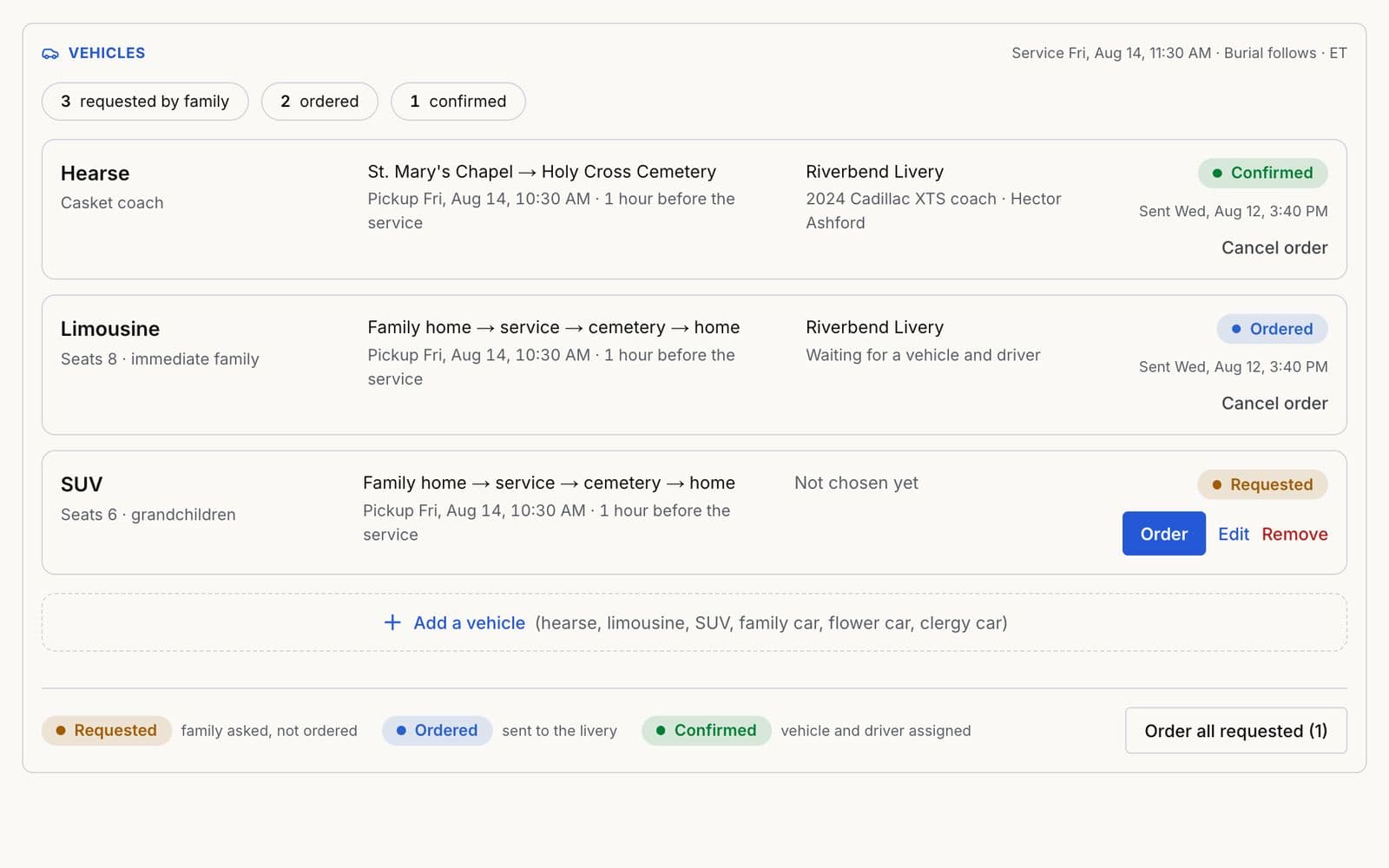
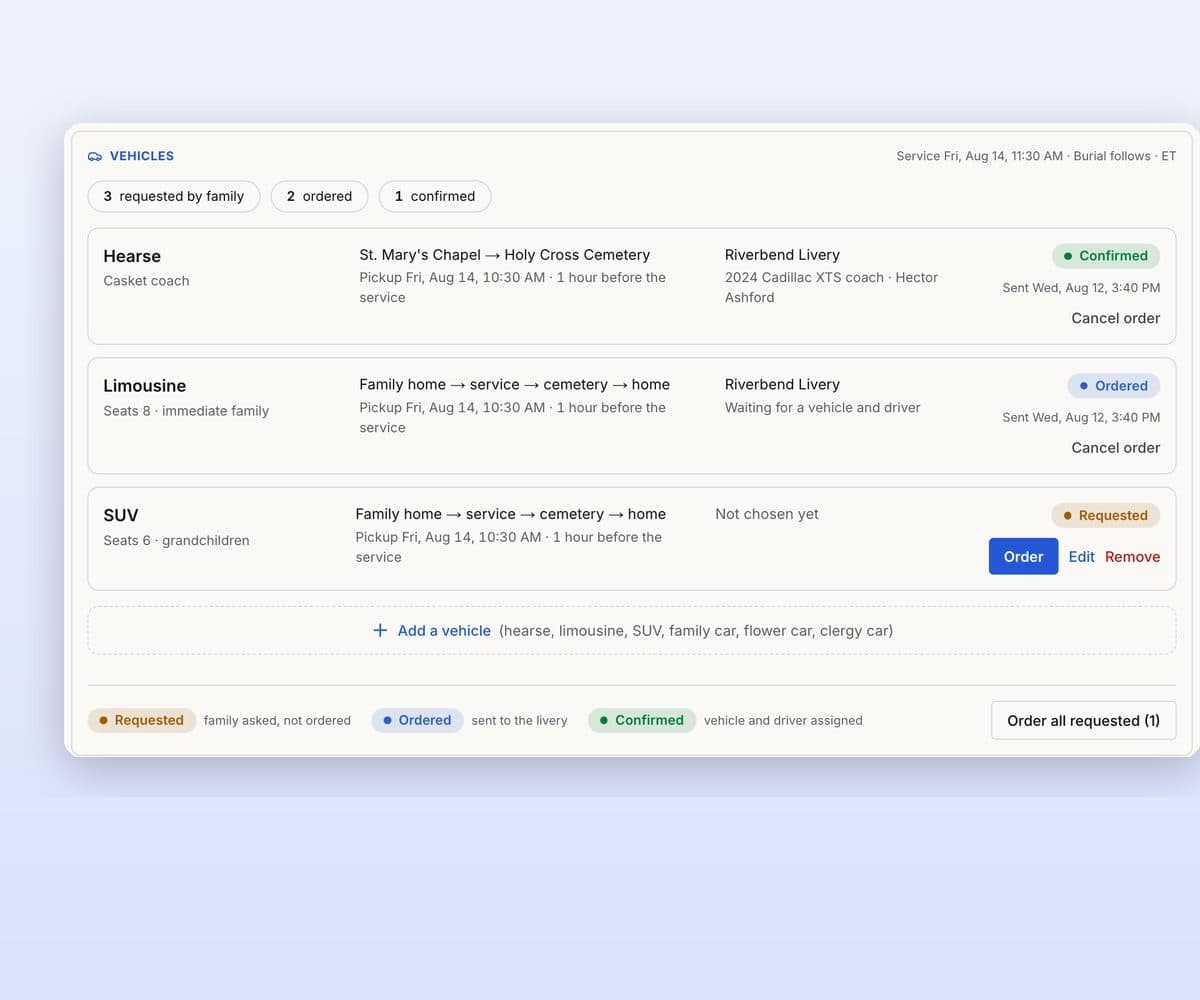
Vehicles for the service
Order the hearse, limousine and family cars from the case, with eterni Livery.
More it can do
Family choices become tasks
Livestream, veteran honors, a shomer or a janazah become steps.
Alerts before things slip
Services not ready, paperwork waiting and stuck steps, flagged.
Rooms that follow the work
Freezer to prep bay to chapel, as steps are done.
Assign, claim or transfer
Hand out steps, or pass a case to another director.
Services by day
What is coming up today and this week, from each case.
Night calls arrive as cases
Calls eterni answers arrive as cases, with eterni Night Guard or eterni Team Suite.
Want the full list? Let’s walk through it.Book a walkthrough
Questions directors ask.
Which traditions does eterni CaseView support?
Christian (Catholic, Protestant and Non-Denominational), Jewish (Orthodox, Conservative and Reform), Muslim (Sunni and Shia), Hindu and Secular. Each has built-in plans for burial, cremation and shipping; Muslim plans cover burial and shipping. Veteran honors can be added to any plan.
Can we change a plan?
Yes. Add, remove and reorder steps before you accept the plan. After that, assign, claim or hand off steps as arrangements change, and eterni CaseView records who completed each step and when.
Can eterni CaseView run on a wall screen?
Yes. TV Mode turns a large touch screen at your front desk, arrangement office or prep area into a live board of every active case, in place of the whiteboard.
Do we need eterni Night Guard to use eterni CaseView?
No. eterni CaseView is available on its own, and it is included in eterni Team Suite. See Pricing for plan details.